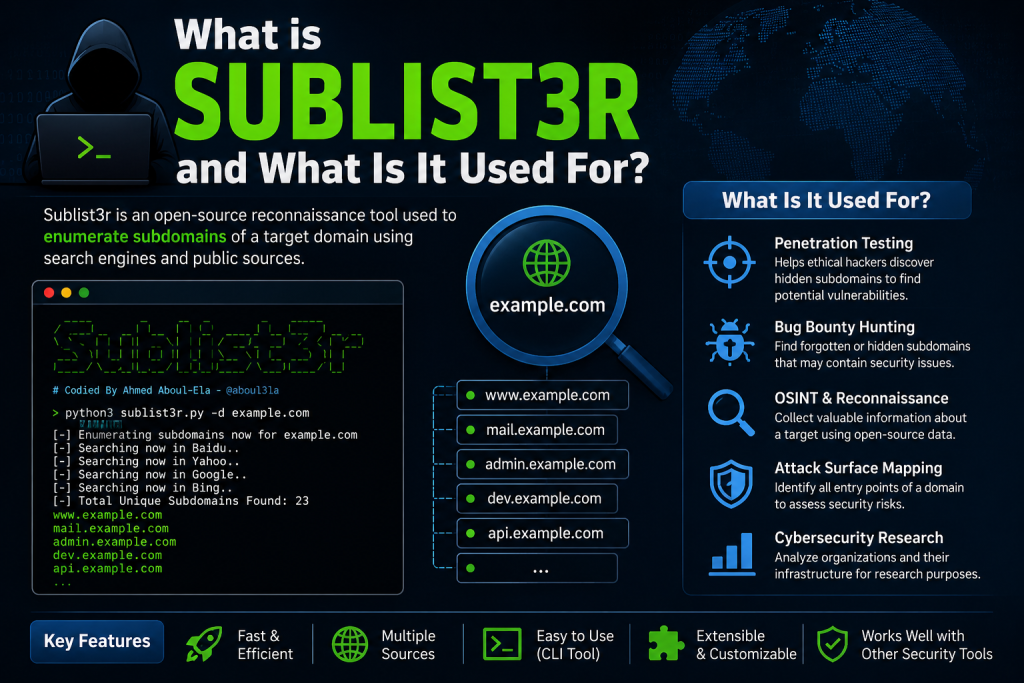
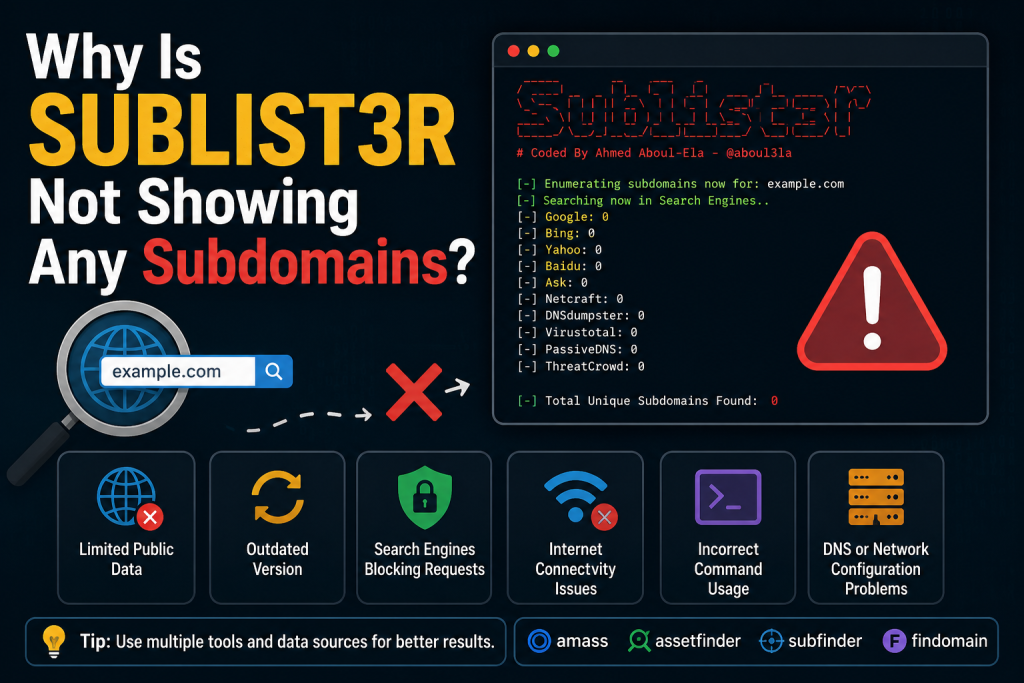
Subdomain enumeration is one of the most important steps in reconnaissance and security testing. Among the many tools available, Sublist3r remains a popular choice because of its simplicity and effectiveness. However, users often encounter a frustrating issue: Sublist3r runs successfully but does not display any subdomains.
If you’re facing this problem, you’re not alone. There are several reasons why Sublist3r may fail to return results, ranging from outdated search engines to connectivity issues. Understanding these causes can help you troubleshoot the problem quickly and improve your subdomain discovery process.
Read More: How Do I Use Sublist3r for Subdomain Enumeration?
Understanding How Sublist3r Works
Before diving into the solutions, it is helpful to understand how Sublist3r operates. Unlike active scanners that directly probe DNS records, Sublist3r relies heavily on search engines and public data sources to gather subdomain information.
The tool collects data from platforms such as search engines, certificate transparency logs, and other publicly accessible sources. It then compiles the findings into a list of discovered subdomains.
Because it depends on external services, any change in those services can directly affect the tool’s performance.
The Target Domain Has No Publicly Indexed Subdomains
One of the simplest explanations is that the domain you are testing does not have publicly available subdomains indexed by the sources used by Sublist3r.
Many organizations intentionally restrict the exposure of their subdomains. Others use internal DNS configurations that are inaccessible from public databases.
If the domain is relatively new, its subdomains may not yet appear in search engine indexes or certificate transparency records.
In such cases, Sublist3r may legitimately return no results.
You Are Using an Outdated Version of Sublist3r
Sublist3r has not received frequent updates in recent years. Search engines and data providers regularly modify their structures, APIs, and anti-bot protections.
When these changes occur, older versions of Sublist3r may fail to retrieve information properly.
Updating the tool from its latest repository version can sometimes resolve the issue. If the project itself has not adapted to recent changes, you may need to consider alternative tools.
Search Engines Are Blocking Requests
Another common reason involves rate limiting or blocking by search engines.
If you perform multiple scans within a short period, the data sources may temporarily restrict your requests. Automated traffic often triggers anti-bot mechanisms designed to prevent excessive querying.
Symptoms of this issue include:
- Empty results despite scanning well-known domains
- Frequent connection errors
- Unexpected interruptions during execution
Waiting for some time before retrying may help. Using a different network connection can also resolve temporary restrictions.
Internet Connectivity Problems
Sublist3r depends entirely on internet access. A weak connection, unstable network, or restrictive firewall can interfere with communication between the tool and its data sources.
If your network blocks outbound requests to certain services, Sublist3r may fail silently and return incomplete results.
Testing your internet connection and verifying that no security software is blocking the application can help identify this issue.
Incorrect Command Usage
Sometimes the problem lies in how the command is executed.
For example, forgetting to specify the target domain correctly or including unnecessary characters can prevent the scan from functioning as expected.
A properly formatted command generally looks like this:
python sublist3r.py -d example.com
Always double-check the syntax and ensure that the target domain is valid.
The Domain Uses Limited Public Exposure
- Large organizations often minimize their attack surface by avoiding unnecessary public exposure of infrastructure.
- Instead of publishing numerous subdomains, they may consolidate services under a few hostnames or use private DNS configurations.
- As a result, Sublist3r may discover only a handful of subdomains—or none at all—even though additional assets exist internally.
- This does not necessarily indicate that the tool is malfunctioning.
DNS Resolution Issues
- Although Sublist3r focuses primarily on passive enumeration, DNS-related problems can still affect the quality of results.
- Misconfigured DNS settings on your system may interfere with validation processes or prevent discovered entries from resolving correctly.
- Changing to reliable DNS providers and verifying your network configuration can eliminate this possibility.
Alternative Tools May Provide Better Results
Because Sublist3r relies on specific data sources, it should not be your only reconnaissance solution.
Modern alternatives often combine passive and active techniques to improve coverage.
Some widely used options include:
- Amass
- Assetfinder
- Findomain
- Subfinder
Using multiple tools together can significantly increase the number of discovered subdomains.
Security professionals frequently compare outputs from several sources to build a more comprehensive asset inventory.
Tips to Improve Subdomain Discovery
If Sublist3r is not showing any subdomains, consider the following best practices:
- Update the tool whenever possible to ensure compatibility with current data sources.
- Verify your internet connection and confirm that firewalls are not blocking requests.
- Test the tool against a well-known domain to determine whether the issue is domain-specific.
- Use alternative enumeration tools to validate your findings.
- Allow time between scans to avoid triggering rate limits imposed by search engines.
- Combining passive techniques with other reconnaissance methods can produce much more accurate results.
Conclusion
When Sublist3r fails to display subdomains, the issue is not always a software bug. In many cases, the problem stems from outdated integrations, blocked requests, limited public data, or incorrect usage.
Understanding how the tool gathers information is essential for effective troubleshooting. By checking your setup, updating the software, and supplementing your workflow with additional enumeration tools, you can overcome most of these challenges.