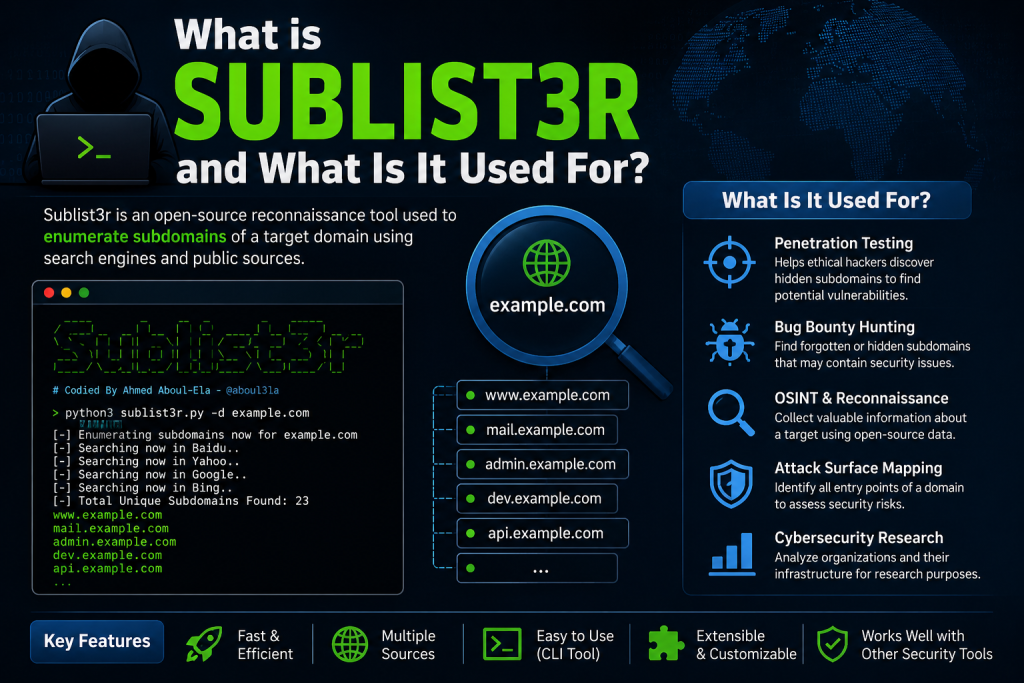
Subdomain enumeration is an important part of cybersecurity assessments and reconnaissance activities. One of the most popular tools used for this purpose is Sublist3r. It is an open-source Python-based utility designed to discover subdomains of websites using various search engines and online sources. Security researchers, bug bounty hunters, and penetration testers often rely on Sublist3r to gather information about a target domain.
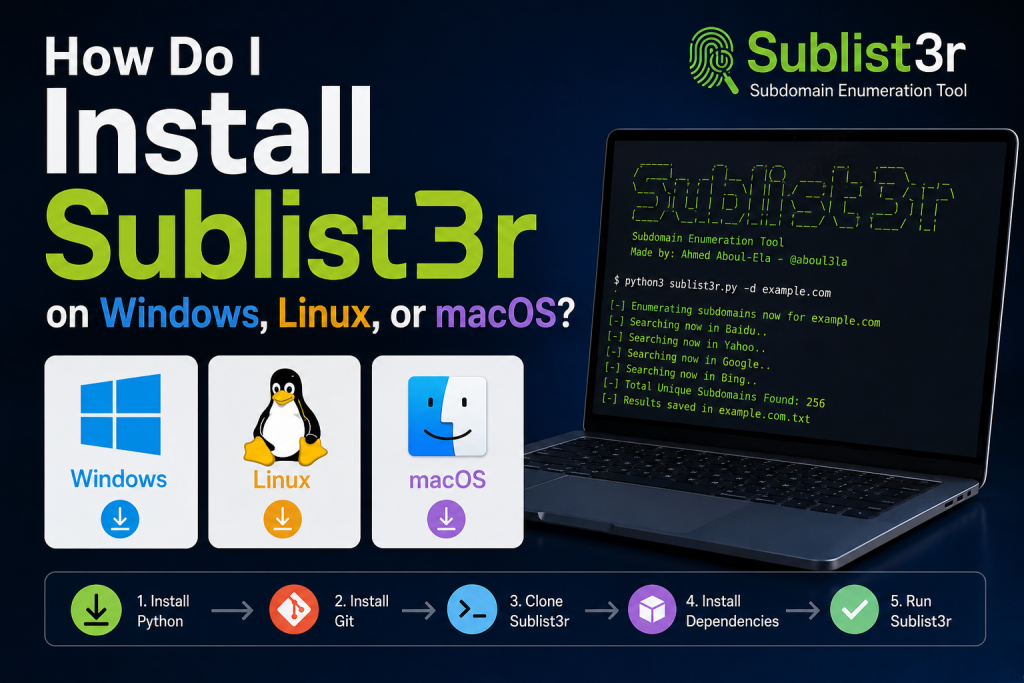
If you are wondering how to install Sublist3r on Windows, Linux, or macOS, this guide will walk you through the process step by step. Whether you are a beginner or an experienced user, you’ll find the installation process straightforward and easy to follow.
Read More: How do I download Sublist3r safely?
What Is Sublist3r?
Sublist3r is a command-line tool developed to enumerate subdomains efficiently. Instead of manually searching for subdomains, the tool automates the process by querying multiple search engines and public data sources.
Some of its key features include:
- Fast subdomain discovery
- Integration with several search engines
- Open-source and free to use
- Simple command-line interface
- Support for multiple operating systems
Before installing the tool, ensure that you have Python installed on your computer since Sublist3r depends on it to run correctly.
System Requirements
The installation requirements are relatively minimal. In most cases, you only need:
- Python 3 installed
- Internet connectivity
- Git (recommended for cloning the repository)
- Basic familiarity with terminal or command prompt usage
Now, let’s look at the installation process for each operating system.
How to Install Sublist3r on Windows
Windows users can install Sublist3r using Git and Python.
Step 1: Install Python
Visit the official Python website and download the latest version of Python 3 compatible with your system.
During installation, make sure to select the option labeled “Add Python to PATH.” This allows you to run Python commands directly from Command Prompt.
To verify the installation, open Command Prompt and type:
python --versionYou should see the installed Python version displayed.
Step 2: Install Git
Download and install Git for Windows from its official website.
After installation, verify Git by running:
git --versionStep 3: Clone the Sublist3r Repository
Open Command Prompt and execute the following command:
git clone https://github.com/aboul3la/Sublist3r.gitThis downloads the Sublist3r files to your computer.
Step 4: Navigate to the Directory
Move into the Sublist3r folder:
cd Sublist3rStep 5: Install Dependencies
Install the required Python packages:
pip install -r requirements.txtStep 6: Verify the Installation
Check that the tool runs correctly by displaying the help menu:
python sublist3r.py -hIf the help screen appears, Sublist3r has been installed successfully.
How to Install Sublist3r on Linux
Installing Sublist3r on Linux is usually very simple because most distributions already include Python.
Step 1: Update Package Repositories
For Debian-based distributions such as Ubuntu, run:
sudo apt updateStep 2: Install Python and Git
Install the required packages:
sudo apt install python3 python3-pip git -yVerify the installation:
python3 --version
git --version
Step 3: Clone the Repository
Download Sublist3r using Git:
git clone https://github.com/aboul3la/Sublist3r.gitStep 4: Access the Project Directory
Navigate into the downloaded folder:
cd Sublist3rStep 5: Install Dependencies
Use pip to install all required libraries:
pip3 install -r requirements.txtStep 6: Run Sublist3r
Launch the help menu to confirm everything works correctly:
python3 sublist3r.py -hYou can now use the tool on your Linux system.
How to Install Sublist3r on macOS
macOS users can install Sublist3r with the help of Homebrew and Git.
Step 1: Install Homebrew (Optional)
If Homebrew is not already installed, install it using the command provided on the Homebrew website.
Step 2: Install Python and Git
Use Homebrew to install the required software:
brew install python gitVerify the installations:
python3 --version
git --version
Step 3: Clone the Sublist3r Repository
Download the project files:
git clone https://github.com/aboul3la/Sublist3r.gitStep 4: Navigate to the Directory
Enter the folder:
cd Sublist3rStep 5: Install Required Packages
Install the dependencies using pip:
pip3 install -r requirements.txtStep 6: Test the Installation
Verify that Sublist3r is functioning properly:
python3 sublist3r.py -hIf the help menu appears, the installation was successful.
Basic Usage of Sublist3r
After installation, you can use Sublist3r to enumerate subdomains for domains you are authorized to assess.
A typical command looks like this:
python sublist3r.py -d example.comOn Linux and macOS, you may use:
python3 sublist3r.py -d example.comAdditional options allow users to save results, enable brute force modules, and customize the enumeration process.
Common Installation Issues and Solutions
Python Not Recognized
If you receive an error stating that Python is not recognized, ensure Python has been added to your system PATH.
Pip Errors
Upgrade pip to the latest version:
python -m pip install --upgrade pipor
python3 -m pip install --upgrade pipMissing Dependencies
If dependency installation fails, rerun the requirements command and check your internet connection.
Permission Errors on Linux or macOS
Try installing dependencies using elevated privileges:
sudo pip3 install -r requirements.txtAlternatively, consider using a Python virtual environment to avoid system-wide changes.
Best Practices When Using Sublist3r
Sublist3r is intended for legitimate security testing and educational purposes. Always ensure that you have proper authorization before performing reconnaissance against any domain.
Using the tool responsibly helps organizations identify exposed assets and improve their security posture without violating legal or ethical boundaries.
Conclusion
Installing Sublist3r on Windows, Linux, or macOS is a straightforward process that primarily involves setting up Python, downloading the repository, and installing the required dependencies. Once configured, the tool can become a valuable addition to your cybersecurity toolkit for authorized subdomain enumeration activities.
Whether you are learning about reconnaissance techniques, participating in bug bounty programs, or conducting approved security assessments, understanding how to install and configure Sublist3r correctly is the first step toward using it effectively.